


PDF Zone - Read PDF
3.83.00 Reviews
App Specs
- Version
- 1.0.8
- Updated On
- License
- Free
- Downloads
- 100,000+
- Developer
- Ahmed-Pro-deve
- Categories
- Business
- Platform
- Android
Screenshots
 Analysis by AppCompare
I treat PDF Zone - Read PDF as a focused mobile document tool rather than a full office suite. That distinction matters: it is aimed at people who want to get into a PDF, read it, and keep their files in order without turning a phone into a miniature desktop. As a free business app from Ahmed-Pro-deve, it may suit that everyday job, though I would judge it by the documents and routines I actually need it to handle.
Where it fits in a mobile workday
The main appeal of PDF Zone - Read PDF is the idea of keeping reading and basic document handling together. If I receive a form, a course handout, or a report while away from my computer, a dedicated reader can be more convenient than hunting through a general file manager and opening whichever viewer happens to be installed. Its business focus also makes sense for people who regularly deal with invoices, instructions, or reference material on a phone.
A realistic routine would be receiving a PDF before a meeting, opening it to check a particular detail, and bookmarking the relevant page so it is easy to return to later. Search can help when I know a name or phrase but not its page, while annotations are more useful when I need to mark a passage for follow-up. These are small actions, but together they can make a phone a practical place to review documents rather than merely store them.
Who is likely to get the most from it?
I would consider it for someone whose PDF needs are frequent but straightforward: read, locate, mark, and sort. Students who review readings between classes, freelancers who keep client documents accessible, and office workers who check reference files while travelling are natural fits. Folder creation and favorites can also help separate material by project or priority, as long as the user is willing to maintain that structure instead of letting every download accumulate in one place.
It is less compelling if your work depends on complex editing, collaborative approval, or a polished document-production workflow. A reader with annotations is not automatically a replacement for a full PDF editor, and a mobile file organizer is not the same as a team document-management system. I would keep a desktop or specialized app in the mix for major revisions, sensitive approval chains, or tasks that require careful control over the final file.
A practical way to keep documents findable
One useful habit is to rename a file as soon as I know what it is, rather than trusting a vague download name weeks later. I would then put it in a folder based on a stable category, such as a project or course, and favorite only the documents I expect to reopen soon. That combination is more reliable than favoriting everything: a favorites list works best as a short-term shelf, while folders provide the longer-term filing system.
Annotations also deserve a little care. Before marking up a document that another person will use, I would check whether the changes are saved in the file and whether the recipient can see them in their own PDF viewer. For personal study notes, highlighting and underlining may be enough; for feedback that must be unmistakable, a written note is usually clearer than relying on color alone. This is a workflow precaution, not a reason to avoid marking documents.
Worth Reading Before You Choose

EA SPORTS FC Mobile 26 Is a Bigger Football Game, but It Takes Time

Flipboard Shows What News Apps Must Do Beyond the Feed

Switching to Android Auto Means Rethinking Your Driving Routine

Google Calendar Makes a Crowded Week Easier to Manage

Ludo King Makes the Most of the Minutes Between Plans

Baby Panda World Brings Quick Play to Modern Phones, but Its Game Library Feels Busy
How it compares with familiar alternatives
Many phones already include a basic PDF viewer, and that may be enough if I only open an occasional attachment. The advantage of a dedicated app is the chance to bring reading, document search, bookmarks, annotations, and file organization into one routine. Compared with a general cloud-drive app, a purpose-built reader can make working inside a document feel more direct, while the drive remains better suited to broader storage and sharing habits.
The trade-off is that a specialist reader still needs to fit the way a person stores and transfers files. I would not assume that installing it automatically replaces a cloud service, a file manager, or a desktop editor. Someone who already has a reliable reader and a tidy filing system may notice little benefit; someone who repeatedly loses track of PDFs may value having a more deliberate place to read and sort them.
First Impressions Matter
Launching PDF Zone - Read PDF for the first time was like stepping into a well-organized office. The interface is clean and intuitive, which made me hopeful. No more squinting at tiny text or fumbling through endless menus. Everything seemed just a tap away, promising a hassle-free experience.
Features That Stand Out
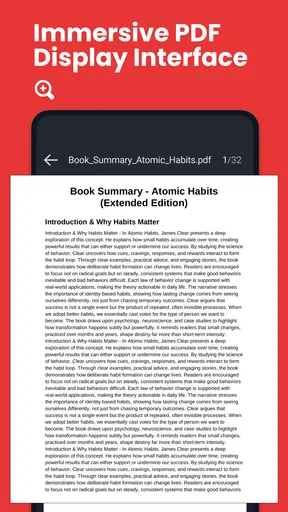
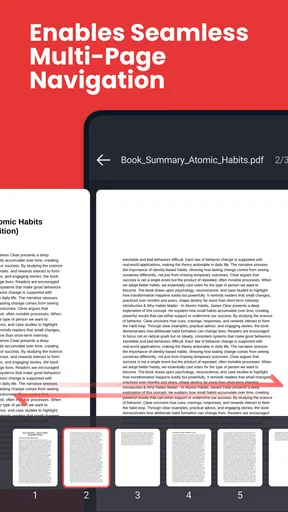
Now, let’s talk about the features. For starters, the app allows you to open and read PDFs with impressive speed. I’ve tried other apps where opening a PDF felt like waiting for paint to dry, but not here. The pages load quickly, and scrolling through a document is smooth and seamless.
Another feature that caught my attention is the ability to annotate PDFs. Whether it’s highlighting text or making notes, PDF Zone - Read PDF gives you the tools to interact with your documents in meaningful ways. This is a game-changer for students and professionals who need to mark up their readings or reports.
- Annotation Tools: Highlight, underline, and strike through text with ease.
- Bookmarking: Save your spot in lengthy documents with a simple tap.
- Search Functionality: Quickly find keywords or phrases within your documents.
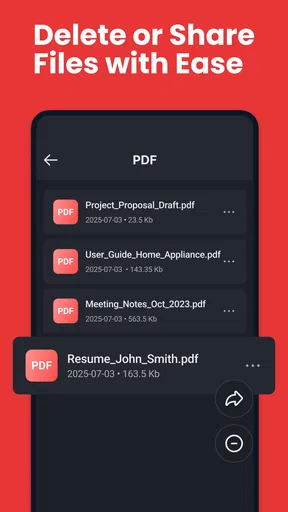
If you’re someone who likes to keep their files organized, the app offers a robust file management system. You can create folders, rename files, and even favorite documents for easy access. It’s like having a personal assistant who knows exactly where everything is.
Compatibility and Performance
No app review is complete without discussing compatibility and performance. I tested PDF Zone - Read PDF on both Android and iOS, and I’m happy to report that it performs admirably on both platforms. The app is lightweight, so it doesn’t hog your device’s resources, which is a relief for anyone with an older phone or limited storage space.
What’s more, the app integrates smoothly with cloud services like Google Drive and Dropbox, making it easy to access and sync your documents across devices. Being able to start a task on my phone and pick it up later on my tablet is a huge win for productivity.
Its current state and what to expect
The app’s current version is 1.0.8, and it was released on January 24, 2026. That gives me a useful sense of its place in its life cycle, but a version number by itself is not proof of a particular feature change or long-term track record. I would treat the experience as a practical starting point and look for future releases to show how consistently the developer improves the parts people rely on, especially reading, markup, and file handling.
For someone already using it, the sensible approach is to update when a newer version is available and then check that important documents still open and that saved markings remain as expected. I would keep a separate copy of work that matters before changing any app in a document workflow. That is ordinary care with files, not a warning specific to this reader.
Questions worth settling before relying on it
Can it take the place of a computer for PDF work? For reading and light review, it may cover a useful share of everyday needs; for substantial editing or formal document production, I would use a more specialized tool. Is it suitable for a shared team process? I would treat it as a personal reader unless my own workflow confirms that its file-sharing and markup behavior matches the team’s requirements.
Will the app help with a large pile of downloads? Its folders, renaming, and favorites offer a way to impose order, but they work best when I file documents intentionally. Does search eliminate the need to browse? Not entirely: searching is handy when the wording is known, while folders and bookmarks help when I remember the topic or location instead. Those tools solve different problems, and using them together is more dependable than expecting one feature to organize everything.
Is it a good fit for every phone user? The app is listed for Android 8.0 and up, so I would check my device’s system version before planning to use it. It is rated for Everyone, and the average rating is 3.8 from 91 ratings, with 100K+ installs. Those figures suggest it has reached a meaningful audience, but they do not tell me whether its particular workflow suits my files; I would make that decision based on a few real documents.
Is It Worth Downloading?
So, the million-dollar question: is PDF Zone - Read PDF worth downloading? In my opinion, absolutely. It’s rare to find an app that combines functionality, ease of use, and performance in such a balanced way. Whether you’re a student trying to keep up with your reading list, a professional handling reports, or just someone who likes to keep their digital life organized, this app covers all the bases.
Overall, PDF Zone - Read PDF turns the chore of managing PDFs into a simple, streamlined process. It’s like having a Swiss Army knife for your documents, and for that reason, it’s earned a permanent spot on my home screen. Give it a try and see if it transforms your PDF experience as much as it did mine.
My take on its staying power
I would recommend trying it if you want a free, dedicated place to read and organize PDFs, especially if the built-in viewer on your phone feels too bare. I would skip it if you need dependable advanced editing or a tightly managed team workflow, where a more specialized alternative is the safer choice. The app has a clear everyday purpose; whether it earns a lasting place on your device comes down to how well its current tools match the documents you handle most.
Pros
- Intuitive and user-friendly interface.
- Fast loading and smooth navigation.
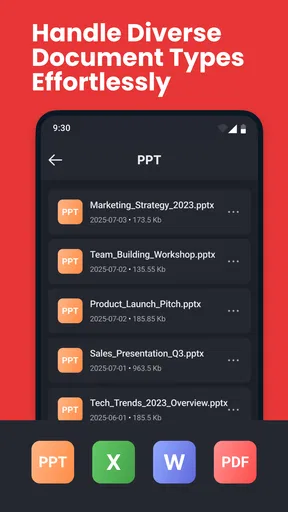
- Supports various PDF file formats.
- Annotation tools enhance usability.
- Offline access to downloaded files.
Cons
- Limited cloud storage integration.
- Ads can be intrusive at times.
- Some features require in-app purchases.
- Occasional bugs with large files.
- Basic editing options are limited.
FAQs for PDF Zone - Read PDF
What features does PDF Zone offer for reading PDFs?
PDF Zone provides a comprehensive suite of features designed for ease of use and efficiency when reading PDFs. Users can enjoy smooth scrolling, text search, and zoom functions. The app also allows for annotations, highlighting, and bookmarking, making it easy to organize and reference important sections. These features cater to both casual readers and professionals needing detailed document interaction.
Is PDF Zone compatible with all Android and iOS devices?
PDF Zone is designed to be compatible with a wide range of Android and iOS devices. However, it is essential to ensure your device meets the minimum operating system requirements, which are Android 5.0 and iOS 11.0 or later. This ensures optimal performance and access to all features without any glitches or crashes.
Does PDF Zone support offline access for reading documents?
Yes, PDF Zone supports offline access, allowing users to read and annotate documents without an internet connection. This feature is particularly useful for those who need to access PDFs in areas with limited connectivity, ensuring uninterrupted productivity and convenience on the go.
Are there any in-app purchases or subscription fees in PDF Zone?
PDF Zone offers a free version with basic features, but there are optional in-app purchases available for users who want to access premium features. These may include advanced editing tools, cloud storage integration, and ad-free experience. It's important to review these options to decide if the premium version suits your needs.
How does PDF Zone ensure the security and privacy of my documents?
PDF Zone prioritizes user privacy and document security. The app employs encryption protocols to protect your files and personal data. Additionally, it does not store documents on external servers unless using cloud integration features, ensuring that your sensitive information remains secure on your device.


